
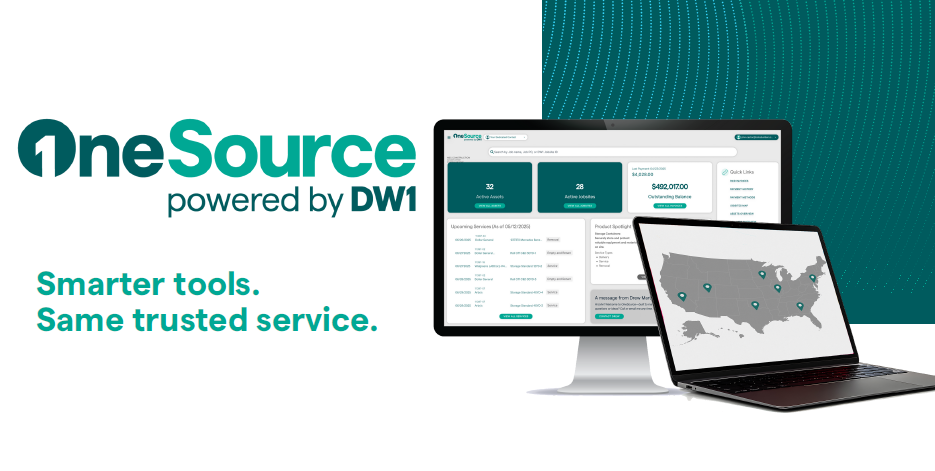
At DW1, we make managing your projects easier, more efficient, and transparent. That’s why we’re proud to announce the launch of our OneSource Customer Portal—a platform designed with your feedback to give you full control over our jobsites, services, and payments in one secure place.
What is the DW1 OneSource Portal?
OneSource is an online customer portal that puts all your jobsite information in one place. From active projects and rental assets to invoices and payment options, it’s built to simplify how you manage services across multiple locations.
How can I view all my active jobs in one place?
The Jobsites Grid provides a complete view of your ongoing projects. You can easily search, filter, or sort jobs by location or name to find exactly what you need in seconds.
Can I track what equipment or containers are on each jobsite?
Yes! The Assets tab lists every dumpster, container, or piece of equipment connected to your jobsites. You’ll see current status updates, billing details, and other useful information to keep everything organized.
Does OneSource help with managing active rentals?
Absolutely. The portal lets you see all active rentals and any pending removals, helping you stay on top of schedules and prevent unnecessary delays or extra costs.
How can I keep track of budgets and rental cycles?
Inside the portal, you can view rental cycle dates, track spend per jobsite, and review service history—all in real time. This transparency makes it easier for project managers and accounting teams to stay aligned.
Where can I access invoices or make payments?
Head to the Invoices section to view or download past and current invoices. You’ll also find pricing breakdowns for each asset and secure payment options via ACH or credit card—all within the portal.
Is support available if I need help navigating the portal?
Yes! You can schedule a quick walkthrough with our team to explore features, or access our self-service user guide directly through the portal for step-by-step help.
At DW1, we believe that the best innovations start with listening. Over the past few years, we’ve worked closely with our customers to design a tool that brings simplicity, visibility, and control to everyday jobsite management. That collaboration shaped the launch of OneSource—your centralized hub for managing rentals, tracking assets, viewing invoices, and streamlining communication.
We’re grateful for the input and engagement that helped guide its development, and we want to ensure every customer feels confident navigating the platform.
The OneSource Portal isn’t just new software—it’s a reflection of how we want to serve our customers: by listening, adapting, and building tools that make your work easier.. Combining smarter tools with the same reliable service you’ve always trusted. Whether you want to dive right in or schedule a quick walkthrough, we’ve got you covered.